 Project 11
Project 11: 3D Scenes
The assignment this week has two parts. First, demonstrate use of the 3D turtle and build some interesting 3D shapes. Second, pick one significant extension of the system and design and implement your own solution. The list of extensions given below is not all-inclusive, and you should feel free to pick your own. The key is to demonstrate how you can define a task, design a solution, and implement the solution so the computer can complete the task. Efficient and elegant solutions are the optimal outcome.
Tasks
-
Make at least four new 3D shape classes, like a box or a house. Use
strings, just like you did for the square and triangle classes. You
can use parameterized strings, which should make the task easier.
An image with examples of all of your 3D shapes is required image 1. In this image, demo at least 2 different styles.
-
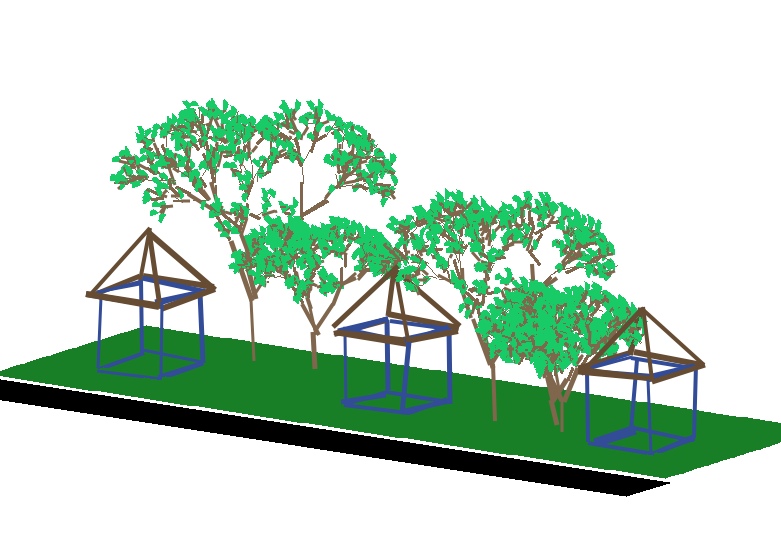
Make a 3D scene that incorporates your shapes. Your scene can be
abstract, artistic, or realistic. Try to maximize the complexity of
the scene, while minimizing the amount of code you have to write. For
this task, spend some time thinking about your design before you start
to code. Talk about your design in your writeup. Note that
complexity may not mean lots of objects. Having lots of small stuff
will slow down the interactive viewing.
Two images of your scene from different points of view are required images 2 and 3.
-
Do something interesting within this context. Make sure you have a
clear description of the task. Design a solution you think will
work and then implement the solution. The difficulty of the task
is not necessarily as important as following a structured process
so you understand what the computer needs to do and how to do
it. The design of your solution should be part of your
writeup. Note: you can choose something from the list of
extensions, if you would like. If you are wondering how we will
grade it, then keep this is mind: we don't simply count the number
of extensions you do. We look at the quality. If this task allows
you to do something spectacular, then it may get you over the
26/30 mark.
An image demonstrating your solution is required image 4.
Extensions
- Design multiple 3D, parameterized L-systems. Explain the goal of your design and the elements of the L-system that achieve it.
- Pick an NPR style you like but have not yet implemented. Try Jackson Pollack, for example. Make sure the style extends to 3D. (And, just like last week, the dashed and broken styles don't count.)
- Pick some semi-complex shapes and create efficient designs for them. Wire frame geodesic spheres, or dodecahedrons, for example, are interesting shapes with lots of regularity to them.
- Make an additional scene.
- Use the 3D turtle to create an interactive tool for creating L-systems. Take user input from the command line to define base strings and rules.
- The 3D turtle allows you to attach a function to the right mouse button. Whenever the user clicks the right mouse button in the window, the function gets called. How could you use this to make an interactive program? (Try running the 3D turtle python file directly and use the right mouse button, then look at the test method to see how it's done.)
- Design a generic shape class that reads its string from a file. See if you can combine this with some interactivity so the user can edit a string and then look at the result immediately.
Writeup and Hand-in
Turn in your code by putting it into your private handin directory on the Courses server. All files should be organized in a folder titled "Project11" and you should include only those files necessary to run the program. We will grade all files turned in, so please do not turn in old, non-working, versions of files.
Make a new wiki page for your assignment. Put the label cs151f16project11 in the label field on the bottom of the page. But give the page a meaningful title (e.g. Stephanie's project 11).
Your writeup should follow the outline below.
- A brief summary of the task, in your own words. This should be no more than a few sentences. Give the reader context and identify the key purposes of the assignment. Each project has both a coding/learning purpose (e.g. learning about dictionaries) and a non-coding objective (e.g. creating complex scenes).
- A description of your solution to the tasks, including any images you created. This should be a description of the form and functionality of your final code. You may want to incorporate code snippets in your description to point out relevant features. Note any unique computational solutions you developed.
- A description of any extensions you undertook, including images demonstrating those extensions. If you added any modules, functions, or other design components, note their structure and the algorithms you used.
- A brief description (1-3 sentences) of what you learned.
- A list of people you worked with, including TAs and professors. Include in that list anyone whose code you may have seen.
- Don't forget to label your writeup so that it is easy for others to find. For this lab, use cs151f16project11