 Project 7
Project 7: Object-Oriented Simulation Design
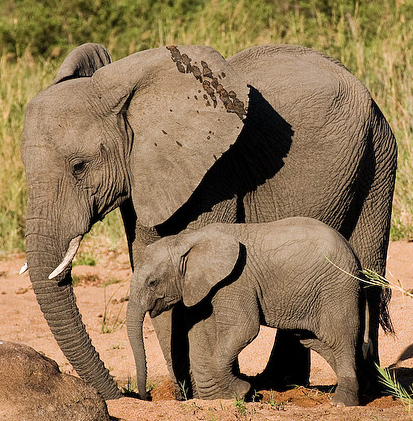
This is the final project on elephant population simulation. In the first project, you developed the overall simulation and used it to figure out a single parameter: the percentage of female elephants to dart each year. In the second project, you explored how to optimize one or more parameters of a simulation automatically. In this project, you are using the same content/concept but redesigning the code to use classes for the Elephant and Simulation parts of the project. You should find that using classes makes the coding process simpler and avoids some of the coding challenges of the prior two weeks.
Tasks
- Setup
Create a new file, simulation.py. At the top, import sys, random, and elephant. Then begin a new class called Simulation.
- Write the init method
Use the def statement below for the __init__ method. Note that numYears will no longer be part of the Simulation fields. It will be provided as a parameter when runSimulation is called.
    def __init__(self,
                 percDart = 0.425,
                 cullStrategy = 0,
                 probCalfSurv = 0.85,
                 probAdultSurv = 0.996,
                 probSeniorSurv = 0.2,
                 calvingInterval = 3.1,
                 carryingCapacity = 7000):
In the body of the init method, assign each of these values to a corresponding field of of the object (self). For example, the following assigns the percDart parameter to a corresponding field of the object, which is referred to by the variable self.
self.percDart = percDart
Create additional fields to hold the population and the results and assign an empty list to each of them. That completes the creation of the Simulation object and it has all of the variables it needs to hold. All of your code in the __init__ method will be assignments to fields.
- Write the accessor methods
The next step is to create the get and set (accessor) functions, one for each of the fields except for population. For example, the following returns the value of the percDart field.
def getPercDart(self):
    return self.percDart
Create similar functions for all of the other simulation parameters. Then create functions that allow you to set each parameter. Each of these functions should take self and the new value of the field as arguments. For example, the following sets the percDart field to a new value.
def setPercDart(self, val):
    self.percDart = val
Test the accessors with the following test program, which should give you this output. Note that it doesn't matter what you call your internal fields. You could store carrying capacity in self.cc, for example. It does matter what you call the get and set functions: they have to match what is in the test code.
- Write the simulation functions
Recreate the simulation from project 5 using the same breakdown into methods. The differences will be in how you access the information. The simulation parameters will always be contained in the fields of the object assigned in the init method (e.g. self.carryingCapacity). Likewise, to call a method of the object, such as initPopulation, use self.initPopulation().
- def initPopulation(self)
The initPopulation method should assign the empty list to self.population, then it should loop for the number of times specified by the carryingCapacity parameter (self.carryingCapacity). Each time through the loop, it should append a new elephant to the population (self.population).
Make sure the def is inside the Simulation class definition (tabbed in by one level).
+ (more detail)
Create a new elephant by making a new Elephant object. As with all objects, use the name of the class as a function to create a new instance of the object. Since the Elephant.__init__ method uses calvingInterval, pass that parameter as the sole argument to Elephant. The following expression is how you create a new Elephant object. This is what you should be appending to self.population.
elephant.Elephant( self.calvingInterval )
- def showPopulation(self):
The showPopulation method should print out a header line (something that might print a separator, or the string "Showing population"), then loop through the population and, for each elephant, print it. Because we created a __str__ method in the Elephant class, if the variable e is a reference to an Elephant object, you can use print( e ) to print it to the terminal.
- def incrementAge(self):
The incrementAge method should loop over the population list and, for each Elephant object, call its incrementAge method.
Yes, this is a two line function.
- def dartPopulation(self)
The dartPopulation method should loop over the population list and, for each Elephant object, if it is female (use the isFemale method) and is an adult (use isAdult), and if random.random() is less than self.percDart, call the dart method for the elephant object.
Update the test function so that it calls dartPopulation and then shows the population again.
- def cullElephants_any(self)
Write a method cullElephants_any that implements the same culling method as the prior project. It should test if there are more elephants than the carrying capacity. If so, it should reduce the population list to the carrying capacity. Finally, it should return the number of elephants culled.
cullElephants_any should not return the population list. It does need to make sure that self.population holds the new, modified population list. Test this by adding the following to the end of the test function.
sim.setCarryingCapacity(15) print "numCulled:", sim.cullElephant_0() sim.showPopulation()
Make sure there are only 15 elephants in the last step.
- def controlPopulation(self):
The controlPopulation method should call either cullElephants_any if the value of self.percDart is 0. Else it should call dartPopulation. The method should return the number of elephants culled, which is either 0, if dartPopulation was called, or the return value of cullElephants_any.
- simulateMonth(self):
The simulateMonth method will be much simpler than the prior implementation. It should loop over the population. For each elephant, if it is female and an adult (use isFemale and isAdult), then if the return value of the elephant's progressMonth method is True, append a new Elephant of age 1 to the population.
- def calcSurvival(self):
The calcSurvival method should assign the empty list to a temporary population variable. Then loop over the population (self.population). For each elephant, use its appropriate survival rate to determine if it survives the year. The last step should be to assign to self.population the new population. The method should not return anything.
- def simulateYear(self):
The simulateYear method should call the calcSurvival method, call the incrementAge method, then loop 12 times and inside the loop call the simulateMonth method.
- def calcResults(self, numCull):
The calcResults method should have self and numCull as its parameters. It should return a list with the total population, the number of calves, the number of juveniles, the number of adult males, the number of adult females, the number of seniors, and the number culled.
- def runSimulation(self, numYears):
The runSimulation method should have the parameters self and numYears. It should do the same thing as in the prior weeks: call initPopulation, call controlPopulation, assign an empty list to self.results, then loop for the number of years (numYears). Each time through the loop it should call simulateYear, then controlPopulation, then append to the results list the return value of calcResults.
Make sure to use self. whenever the code is referencing a field of the object (e.g. self.results) and whenever the code calls a method of the Simulation class (e.g. self.calcResults). The method should return self.results.
At this point, you may want to add a simple test function, as below, to the bottom of your simulation.py file. This function should not be part of the Simulation class.
def test_simple():
    sim = Simulation()
    sim.setCarryingCapacity(20)
    sim.initPopulation()
    sim.showPopulation()
    sim.incrementAge()
    sim.showPopulation()

if __name__ == "__main__":
    test_simple()
Run simulation.py and make sure it is printing out a population of 20 elephants and that it is correctly incrementing their ages.
- def initPopulation(self)
- Test the simulation
Use this test function to test your runSimulation method. When you run it with a value like 0.42, you should get around 1000 total elephants at the end. If you run it with larger or smaller percdart values, make sure you get smaller/larger total population results.
In your report, include whether this program works correctly.
- Write the demographics results to a CSV file
Write a writeDemographics(self, filename) method, that takes in a filename as one parameter and writes the results, stored in self.results, to a proper CSV file. The CSV file should have a header line that begins with a hash, #, and then has a header for each column. Make Year the first column, then total population, number of calves, number of juveniles, number of male adults, number of female adults, number of seniors, and number culled.
You can use the following test function to run your whole simulation. The test file creates the file demographics.csv. Note, it will overwrite any existing file with that name.
Include the CSV file in your handin directory.
- Plot the demographics for culling versus darting
Make a plot that shows year, number of calves, number of juveniles, and number of adult females for a dart percentage of 0.425. Then make a second plot that shows the same data for a dart percentage of 0.0.
It's not required, but try using matplotlib for this task. Include the demographics plot in your report
- Implement a different culling strategy
Implement a second cull strategy that culls only adult females. Create a new function cullElephants_AF that implements the strategy.
Modify controlPopulation so that it calls cullElephants_AF instead of cullElephants_any when self.cullStrategy is equal to 1.
Run the two different culling strategies, then examine the demographics and number culled, in comparison to random culling. Present this as a table in your report showing the average number of each category (calf, junvenile, adult female, etc) for each case.
- Implement another variation
Pick a method of modifying the simulation and implement it. Make sure the base simulation is still possible to run. Options to consider include a third culling strategy, or simulating a disaster that kills off some percent of the population and seeing how the population responds.
Implement the modification and then use plots or tables to compare the base simulation to the modified simulation.
Follow-up Questions
- What is a class?
- When is the __init__ method of a class called?
- What is the variable self within a class method?
- What is the first parameter to every method of a class?
Extensions
Extensions are your opportunity to customize your project, learn something else of interest to you, and improve your grade. The following are some suggested extensions, but you are free to choose your own. Be sure to describe any extensions you complete in your report.
- Use matplotlib to automate the graphic process.
- Develop a management strategy that adjusts the percent darted based on whether the population is above or below the target. You have to make very small adjustments to the percent darted in order to avoid large oscillations. See how this method responds to an event that decimates the population.
- Develop other culling/darting strategies and discuss their effects and trade-offs. How easy would they be to implement?
- Compare different kinds of disaster scenarios such as the disaster differentially affecting calves or juveniles.
- Enable the user to control your top level program with optional flags. For example, -par CarryingCapacity would specify that the program should evaluate carrying capacity, and -min 3500 would specify that it should start the evaluation at 3500.
Submit your code
Turn in your code (all files ending with .py) by putting it in a directory in the Courses server. On the Courses server, you should have access to a directory called CS152, and within that, a directory with your user name. Within this directory is a directory named Private. Files that you put into that private directory you can edit, read, and write, and the professor can edit, read, and write, but no one else. To hand in your code and other materials, create a new directory, such as project6, and then copy your code into the project directory for that week. Please submit only code that you want to be graded.
When submitting your code, double check the following.
- Is your name at the top of each code file?
- Does every function have a comment or docstring specifying what it does?
- Is your handin project directory inside your Private folder on Courses?
Write your project report
For CS 152 please use Google Docs to write your report. Create a new doc for each project. Start the doc with a title and your name. Attach the doc to your project on Google classroom. Make sure you click submit when you are done. The graders cannot provide feedback unless you click submit.
Your intended audience for your report is your peers not in the class. From week to week you can assume your audience has read your prior reports. Your goal should be to be able to use it to explain to friends what you accomplished in this project and to give them a sense of how you did it.
Your project report should contain the following elements.
-
A brief summary of the project, in your own words. This should be no more than a few sentences. Give the reader context and identify the key purpose of the assignment.
Writing an effective abstract is an important skill. Consider the following questions while writing it.
- Does it describe the CS concepts of the project (e.g. writing well-organized and efficient code)?
- Does it describe the specific project application?
- Does it describe your the solution or how it was developed (e.g. what code did you write)?
- Does it describe the results or outputs (e.g. did your code work as expected)?
- Is it concise?
- Are all of the terms well-defined?
- Does it read logically and in the proper order?
- A description of your solution to the tasks, including any text output or images you created (including the three required images mentioned above). This should be a description of the form and functionality of your final code. Note any unique computational solutions you developed or any insights you gained from your code's output.
- A description of any extensions you undertook, including text output or images demonstrating those extensions. If you added any modules, functions, or other design components, note their structure and the algorithms you used.
- The answers to any follow-up questions (there will be 3-4 for each project).
- A brief description (1-3 sentences) of what you learned. Think about the answer to this question in terms of the stated purpose of the project. What are some specific things you had to learn or discover in order to complete the project?
- A list of people you worked with, including TAs and professors. Include in that list anyone whose code you may have seen, such as those of friends who have taken the course in a previous semester.
Thanks to Cathy Collins for the project idea and documentation. The original project concept and idea came from Therese Donovan, University of Vermont.