Source — https://xkcd.com/1722/
The goals this week are to:
This is not a typical lab where you start working on a new project, the goal here is to gain some basic debugging skills that will make future projects easier for you. The solutions are provided, yet I encourage you to take the tasks seriously.
Your first task is to read error messages without seeing the code they come from, and try to figure out where and why the error occurred.
Start by copying the following file to your lab directory and answer the questions below each error message. [THE FILE]
Now that you tried answering the questions, take a look at the answers. [ANSWERS]
Copy the code below and save it with the name “task2.py” on your computer:
import turtle
x = turtle.Turtle()
y = turtle.getscreen()
x.speed(0)
y.bgcolor("black")
x.color("white")
x.forward(1)
pen_size = 1
for z in range(300):
x.forward(z*1.5)
x.left(91)
pen_size*=1.004
x.pensize(pen_size)
if z<101:
tammy= ((z/100),0,0)
elif z<201:
tammy =(1-((z-100)/100),((z-100) / 100), 0)
else:
tammy = (1- ((z - 200) / 100), 1 - ((z - 200) / 100), ((z - 200) / 100))
x.color(tammy)
x.forward(300 * 0.5)
turtle.hideturtle()
x.hideturtle()
turtle.exitonclick()
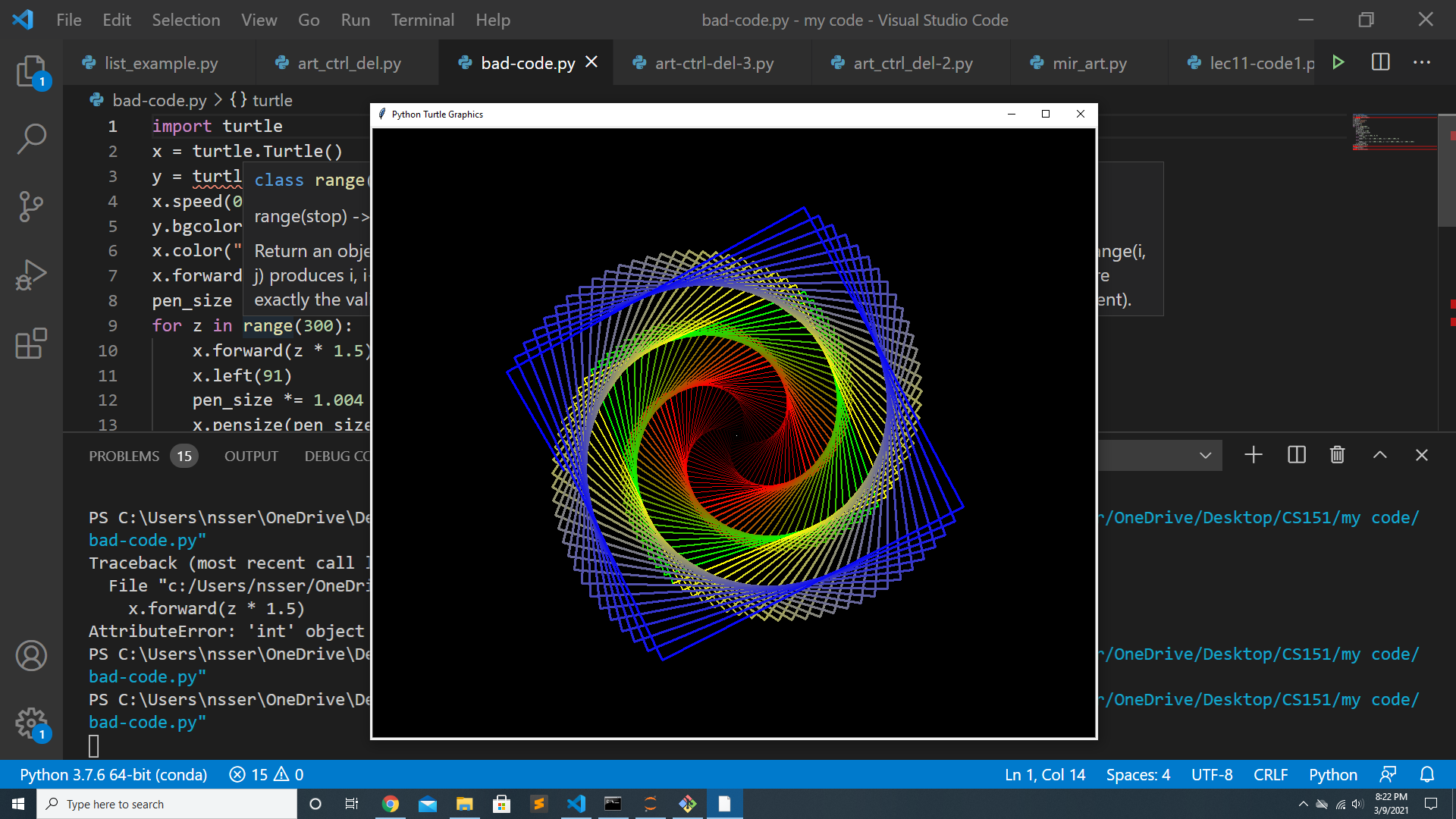
Run the code to generate the following shape:
In this task, you are given a working code (the file “task2.py”), but the code is written with total disregard to coding style 💔😭. Your job is to fix the coding style by editing the code, keeping in mind that the code runs perfectly and the only thing needed is to update the code with coding style concepts like:
For a full (and very long) list of tips on good coding style check: https://pep8.org/
You can find the “solution” for this task at the following link: [SOLUTION]
The main point from this task is to recognize how difficult it is to modify and debug code with bad style even if it works perfectly. This is a short program, imagine how difficult it would be to modify a larger code or debug it if it does not follow a consistent coding style.
In the final task of this lab, you will use everything you learned to fix the coding bugs in the following files: compound_tree.py and shapelib.py
The code is supposed to generate the following shape (if you fix all bugs):
The solution is available through this link: [SOLUTION]
Good job on fixing all the bugs and learning about the importance of good coding style and how to debug code! 👏👏👏